

Understanding Motherboard Compatibility: A Beginner’s Guide

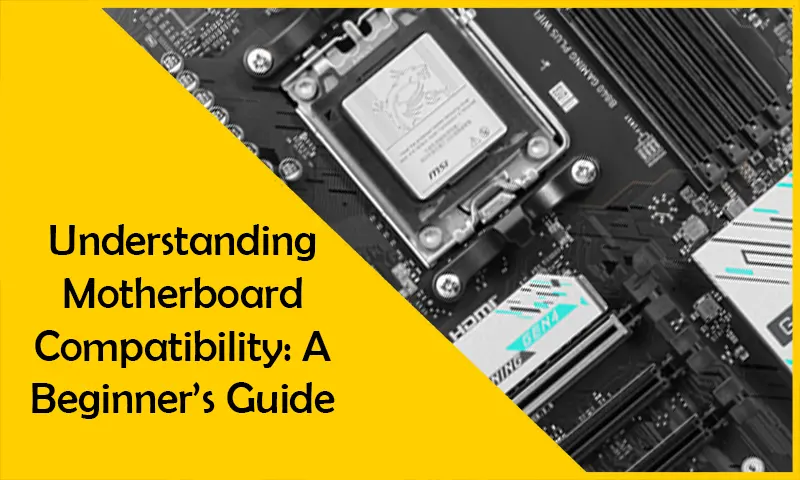
Building or upgrading a PC can be an exciting yet overwhelming task, especially when you dive into the technicalities of choosing components. One of the most critical parts of any PC build is the motherboard—the backbone that connects all the essential components of your system. Understanding motherboard compatibility is vital for ensuring that your gaming PC or workstation functions seamlessly.
In this comprehensive guide, we’ll walk you through everything you need to know about motherboard compatibility. Whether you’re building a high-performance gaming rig with top-tier video cards or setting up a workstation for business, this guide is for you.
1. What Is a Motherboard and Why Is It Important?
The motherboard is the central hub of your computer, linking the Intel Ultra 7 or AMD Ryzen 7 (latest series) processor, RAM, SSD, video card, and other critical components. It acts as a communication center, ensuring all hardware components work together efficiently.
If you’re building a gaming PC, the motherboard plays a significant role in determining the performance and future upgrade potential. High-end gaming motherboards can support features like advanced cooling systems, multiple video cards, and overclocking capabilities.
???? Explore our range of Gaming Processors for your next build.
2. Key Factors in Motherboard Compatibility
A. Processor Socket
The socket type of your motherboard must match your CPU/Processor. Ensure that your chosen motherboard supports the exact socket your processor requires.
Example:
- Intel Ultra 7 requires a motherboard with an LGA 1851 socket.
- AMD Ryzen 7 (latest series) requires an AM5 socket.
???? Explore our range of Gaming Processors.
B. Chipset
The chipset determines the features and performance capabilities of the motherboard. Gamers often pair Z-series chipsets with Intel CPUs or X-series chipsets with AMD Ryzen processors for optimal overclocking performance.
C. RAM Compatibility
Your motherboard dictates the type and capacity of RAM you can install.
- DDR Type: Most modern motherboards support DDR5 RAM.
- Speed: Higher MHz speeds can improve gaming performance.
- Slots: Ensure the motherboard has enough slots to meet your upgrade needs.
???? Check out the best options for gaming memory (RAM).
D. Storage Options
Look for M.2 slots if you’re planning to use NVMe SSDs for lightning-fast performance.
???? Browse our collection of SSDs to find the right storage for your build.
E. Expansion Slots
For gamers, the number of PCIe slots is critical. Gamers often prioritize motherboards with PCIe Gen 5 slots for maximum graphics performance.
???? Explore high-performance Video Cards to complete your build.
3. Graphics Card Compatibility
With the release of the RTX 5080 series, ensuring that your motherboard supports PCIe Gen 5 for maximum bandwidth is essential.
???? Shop RTX 5080 Graphics Cards now.
4. Form Factor: Size Matters
Motherboards come in various sizes:
- ATX: Standard size, suitable for most builds.
- Micro-ATX: Smaller, great for compact setups.
- Mini-ITX: Tiny and ideal for small builds.
???? Explore our range of Desktop Computers.
5. Features for Gaming Enthusiasts
Gamers often require motherboards with additional features:
- RGB Lighting: Adds style to your gaming PC setup.
- Cooling System Support: For maintaining performance during intense gaming sessions.
???? Discover premium Cooling Systems for your gaming rig.
6. Connectivity Options
Modern motherboards offer several connectivity options:
- USB Ports: Ensure enough USB 3.2 or USB-C ports.
- Networking: Built-in Wi-Fi 6E or Ethernet for stable online gaming.
???? Check our Networking products for enhanced connectivity.
7. Servers and Workstations: Business Compatibility
For businesses, reliable motherboards ensure long-term performance and stability.
???? Explore our Servers & Workstations for high-performance solutions.
8. Common Mistakes to Avoid
- Skipping Compatibility Checks: Always cross-check your components.
- Neglecting Power Requirements: Ensure your motherboard supports your power supply.
- Overlooking Future Upgrades: Choose a motherboard that allows for future enhancements.
9. Choosing the Right Motherboard for Your Needs
At Game City Computer Trading, we offer a wide range of motherboards and gaming components tailored to both gamers and professionals.
10. Enhancing Your Setup with Accessories
Complete your build with essential gaming accessories like:
- Gaming Monitors: For high refresh rates and sharp visuals.
- Gaming Chair: For comfort during long gaming sessions.
???? Browse top-notch Gaming Monitors and Gaming Chairs to elevate your experience.
Conclusion
Understanding motherboard compatibility is a crucial step in building or upgrading your PC. By focusing on key factors such as processor sockets, chipsets, RAM, and expansion slots, you can create a system that meets your needs and stays future-proof. At Gaming UAE, we provide all the components and guidance you need for a seamless build. Start your journey today at Gaming UAE.

